Try scrolling the image!
The Problem
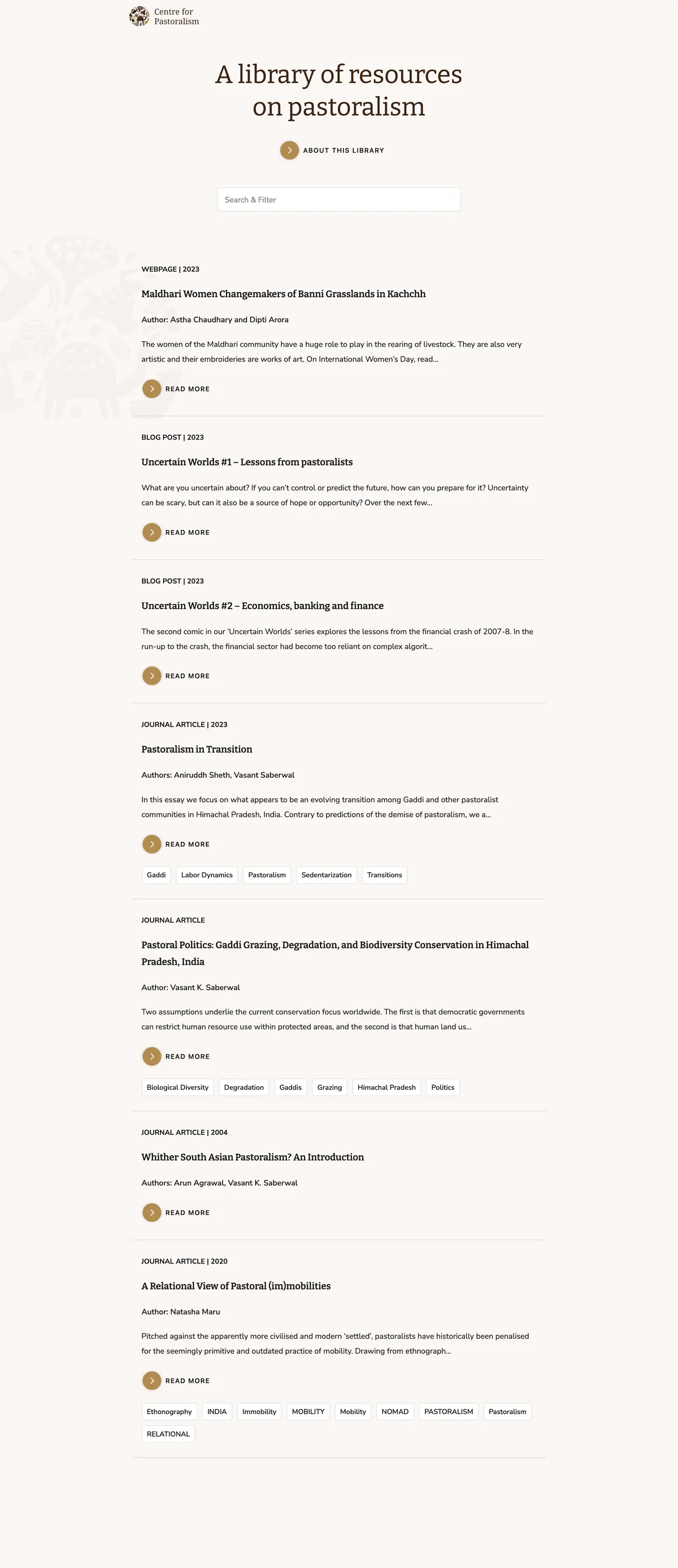
This was really a one of a kind project! The client had a database of more than a 1000 resources on pastoralism which they maintained on Zotero — a citation manager. The staff loved using Zotero internally but it was turning out to be a barrier while trying to share the repository widely with the public and with other organisations working in the space. What they needed was a fast and accessible website that could serve up the Zotero database with an intuitive UI and search functionality.
The Tech Stack
CMS
Since Zotero had some great convenience of life features for my client, like automatically populating the information about a journal article with just the URL, we decided to retain it as the CMS. Zotero provides an API that we can call, but here’s the issue, this API is unusably slow and also rate limited.
Database
To solve this, I chose to use MongoDB Atlas — a noSQL cloud database — as an intermediary “cache” of sorts. MongoDB Atlas was perfect for this use case for a few reasons:
- A noSQL database can handle any changes in the structure of Zotero’s API response gracefully.
- A noSQL database allows us to avoid unnecessarily converting from JSON to SQL and back.
- MongoDB Atlas has a generous free tier that we would never cross.
This database is then kept in sync with our Zotero library by a Netlify scheduled function that runs hourly.
Frontend
We had two key requirements for the frontend that informed tooling choices:
- The app had to work in areas with spotty and slow internet.
- The app and especially the search still needed to feel fast.
The way I decided to solve this problem was by using a neat combination of local storage on the client browser and React to cut down the number of queries to the database.
When a user visits our site for the first time, our React app requests a dozen or so of the latest resources — around 4 KBs worth. The user can begin browsing and interacting with these resources while we have the rest of the 1000+ resources — a payload of around 400 KB compressed — downloading in the background. Once downloaded, the entire database is saved to local storage and the UI is updated seamlessly.
What all this means is that search is handled completely locally and the UI feels blazing fast even on slower 2G and 3G connections. The next time the user visits our site, it loads instantly as everything needed is either in local cache or local storage. After page load, the user’s browser pings a Netlify function to check if the version of the local database it has is up to date, and if not, the updated data is fetched from the database in the background while the user continues to browse the site.
Hosting
Netlify was a suitable choice for hosting due to it’s great developer experience, rich ecosystem of serverless functions, and generous free tier which we would never exceed.
The Result
We achieved what we set out to and then some! It’s solving unique challenges like this that gets me excited about web development. Two years later now, in 2025, if I were to go back to this project, would I pick a different or simpler tech stack? Not really actually! I’m satisfied with the reasoning behind my choices looking back and that, more than anything, puts a smile on my face. 😁